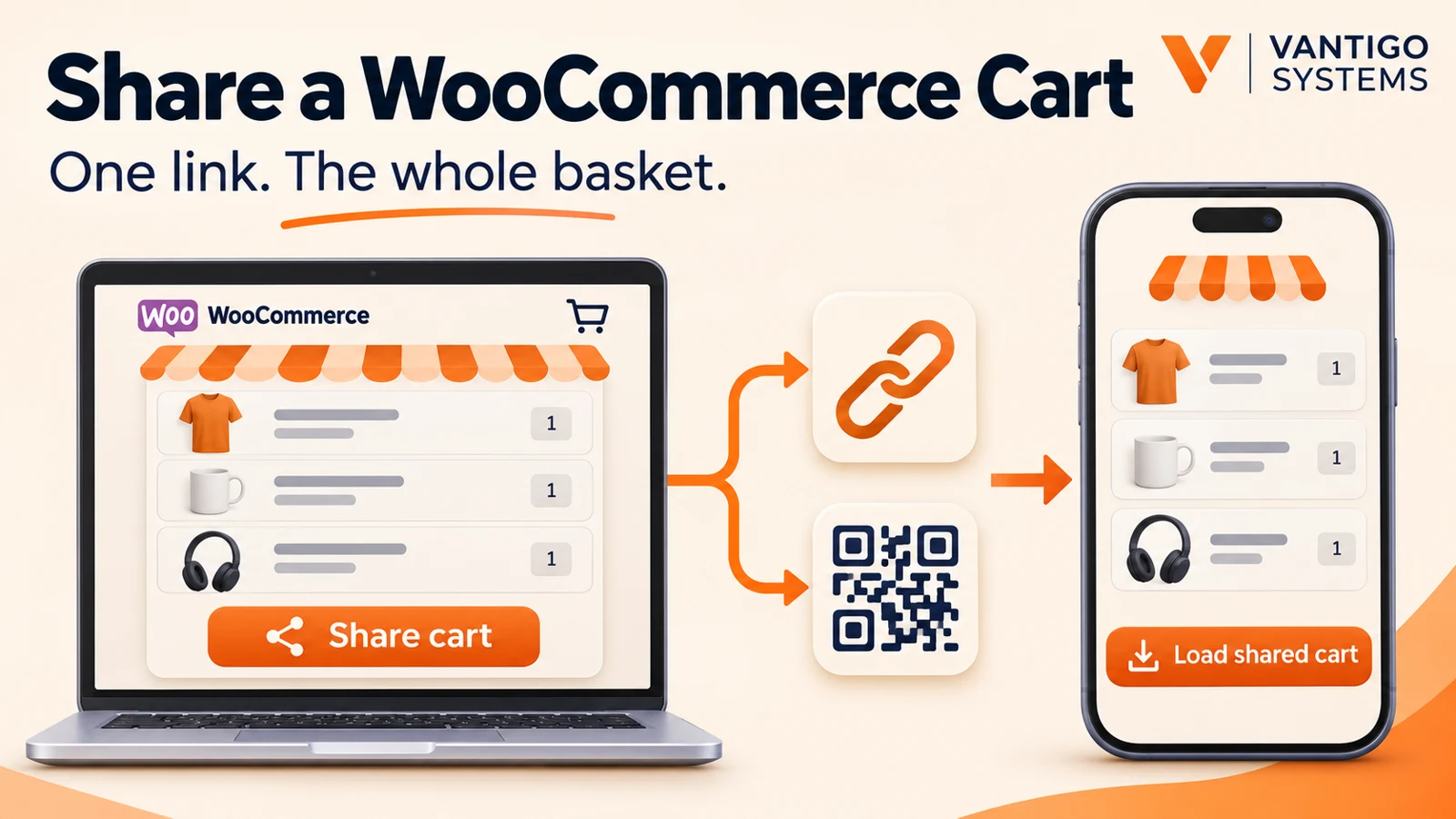
You can share a WooCommerce cart by creating a link to the selected items and letting the recipient load them into their own session. That saves them from finding every product again or rebuilding a basket from screenshots.
We built Vantigo Share Shop Cart for WooCommerce for this task. It is now available as a free, open-source plugin on WordPress.org. This guide explains the shopper journey, the settings to review and a few limits worth knowing before you enable sharing.
We are the plugin’s developer. The examples below illustrate possible uses, rather than measured customer results.
When a cart link is useful
A shopper buying clothes for a child may want someone else to check the sizes. A colleague choosing office supplies might need approval for the quantities. In both cases, a basket link is easier to follow than a message containing several product URLs.
Cross-device shopping is another use. Someone can build a basket on a laptop, scan its QR code with a phone and continue there. Each recipient still has their own cart session and completes their own checkout.
Cart sharing does not provide a formal approval system, a purchase order or a shared account. If your buying process needs those steps, define them separately before choosing a plugin.
How to share a WooCommerce cart with Vantigo Share Shop Cart
- Add the products and variations you want to the store’s cart.
- Open the Share Cart button or inline sharing tray.
- Copy the generated link, scan the QR code, or choose an enabled sharing channel.
- Send the link to the person who needs the basket.
- The recipient opens it and chooses Load shared cart on the confirmation page.
- They review the items and current totals, then continue to checkout when ready.
That confirmation matters. Someone opening a message should be able to decide whether to change their basket. The plugin checks products through WooCommerce when restoring them, including current availability and prices.
Before sending a basket to a customer, open its link in a separate browser session and check what the recipient will see.
Vantigo Systems, setup recommendation
Install the plugin and choose where the button appears
Start on a staging copy if your store already takes orders. Install Vantigo Share Shop Cart for WooCommerce from WordPress.org and activate it with WooCommerce running.
Open WooCommerce > Vantigo Share Shop Cart. Review the general settings, placement and sharing channels before trying a customer journey. Automatic placement supports the classic cart, with a fallback for the Cart block. Optional product, shop and floating buttons provide other ways to reach the sharing interface.
Using Elementor or a shortcode
In Elementor, search for the Vantigo Share Shop Cart widget and place it in the intended template. You can also add the following in a shortcode block or appropriate builder widget:
[vantshsh_share_cart]For an inline sharing tray, use:
[vantshsh_share_cart layout="inline"]Keep placement clear and avoid repeating the button several times on the same small screen. If your theme does not expose the expected automatic position, test a manual placement or floating button instead.
Decide whether a shared cart replaces or merges
A recipient may already have items in their basket. The restoration mode determines what happens when they load the shared selection.
Replace mode uses the shared basket in place of the current cart. This is useful when the link represents a prepared selection that should be reviewed together.
Merge mode adds shared items to the existing basket. Check repeated products and quantities during testing, especially when other extensions modify cart items.
The plugin also offers optional coupon restoration and a redirect to checkout. Test coupon validity, stock changes and shipping calculations with your store’s rules. Sharing an item does not reserve its stock or lock in an earlier price.
Choose useful channels and a sensible expiry
The plugin includes optional WhatsApp, Facebook, X, Telegram, email and SMS sharing, plus native device sharing where supported. Enable the channels your customers use. A copy-link option can cover the rest without crowding the dialog.
QR codes are generated locally in the visitor’s browser. For a cross-device test, scan one with a phone that has no existing session on the store. Check that the confirmation page and checkout are readable on that screen.
Set link expiry to 1, 7, 14, 30 or 90 days, or choose no expiry. A short-lived product selection may suit a short window. A longer window can help when the buyer needs time to review it, but it also keeps the link usable for longer.
Anyone who receives a valid link can use it until expiry. Ask your team to treat basket links with care when products or custom options reveal information about a customer.
Cart sharing and abandoned-cart marketing are different
In this plugin, the shopper chooses to share a basket. Clicking WhatsApp opens a message they can send. Email and SMS options open the visitor’s configured apps. The plugin does not operate an outbound marketing service.
An abandoned-cart campaign starts from a merchant’s follow-up rules and needs its own channel setup and permissions. Do not install a sharing button expecting it to send recovery campaigns automatically.
This distinction also keeps reporting honest. A restored cart means that someone loaded a selection. It does not prove that an order was paid or that the plugin generated revenue.
Review privacy and custom cart data
The plugin saves shareable cart records in the store’s WordPress database. Those records can include product variations, coupon information and custom cart-item metadata added by other extensions. Review that metadata before enabling sharing for personalized products or forms that collect sensitive details.
The QR-code library and plugin assets are bundled locally. Social SDKs do not load just because someone views a page. When a shopper opens an optional sharing destination, that provider receives the URL and relevant message information. Its own privacy rules then apply.
Read the directory listing’s privacy and storage notes when updating your store’s policy. Choose an expiry that suits your use, and make sure scheduled WordPress tasks run so expired records can be cleaned up.
A short checklist before customers use it
- Check a simple product and a product variation in a separate recipient session.
- Try the selected replace or merge behavior with an existing recipient basket.
- Confirm how your store handles a used coupon, changed price and unavailable item.
- Test the QR code and sharing dialog on a phone.
- Keep personalized cart pages out of full-page caching and confirm that WordPress AJAX requests are working.
- Review activity counters as sharing events, rather than completed orders.
Custom themes and checkout extensions need testing in their own configuration. The plugin declares HPOS compatibility, but that does not establish compatibility with every extension on a store.
Frequently asked questions
Is Vantigo Share Shop Cart for WooCommerce free?
Yes. You can download the published plugin from WordPress.org. It is open source under GPLv2 or later.
Can shoppers share a whole basket through WhatsApp?
Yes. If the store enables WhatsApp sharing, the shopper can open a message containing the cart link. The recipient uses that link to reach the store’s confirmation page.
Will opening a link immediately overwrite my cart?
No. The recipient must choose Load shared cart. What happens next depends on the store’s replace or merge setting.
Does a shared cart keep the original prices?
WooCommerce checks current products, prices and stock during restoration. The link should not be treated as a binding quote or a price reservation.
Can I use the plugin without Elementor?
Yes. Automatic placement, shortcodes and optional floating buttons are available. Elementor is one placement option.
Where should I ask a plugin question?
Post plugin questions in the WordPress.org support forum. Include the relevant theme and plugin versions, but keep private customer details and credentials out of public posts.
Try it on your store
Read the product overview and screenshots, then download Vantigo Share Shop Cart for WooCommerce. Start with a test basket and one sharing channel before adding more placements.
If your store needs a custom cart layout or a broader integration, Vantigo Systems also provides WooCommerce development. Tell us which buying task you need to support so we can review the scope.
Plan My Project