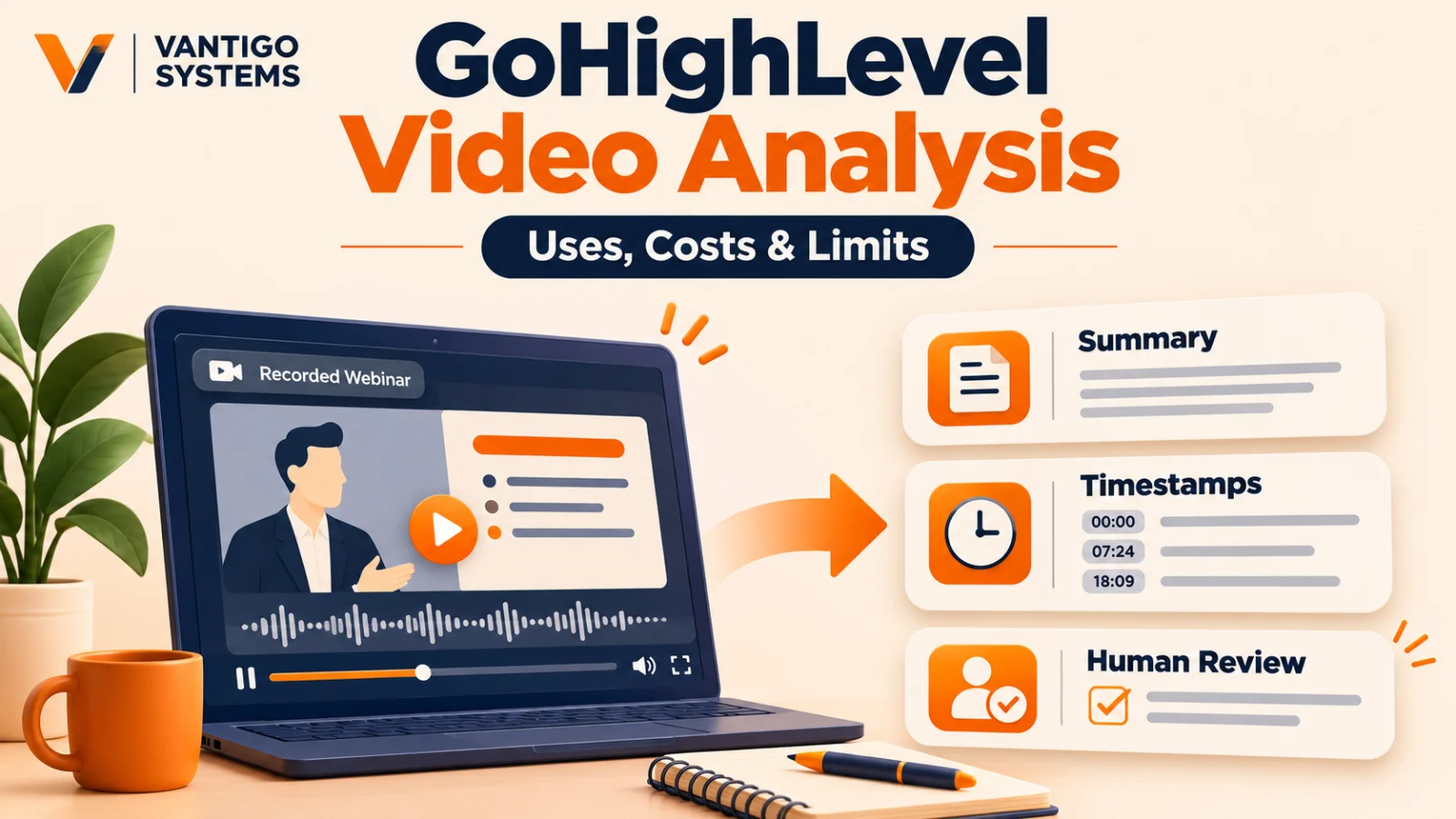
GoHighLevel video analysis gives businesses a way to turn recordings into working notes inside Managed Agents. If your team already has webinars or training videos sitting unused, this update is worth evaluating before buying another tool.
HighLevel announced the feature in its 16 November 2026 changelog. This guide reviews the published capabilities and suggests a practical first workflow. We have not benchmarked the feature or deployed it for a client.
What the HighLevel update includes
According to the official video analysis announcement, Managed Agents can process visuals and audio, produce transcripts and timestamped summaries, and answer questions about a recording. Supported inputs include public YouTube links and Media Library videos. The stated file limit is 2 GB.
HighLevel also describes use in agent conversations and triggered executions. Automatic availability within Managed Agents does not mean every business account has free, unlimited access.
Choose a video task that your team repeats
Start with a recording your business owns and a task someone already performs manually. You need a clear way to judge the output. A useful first test might be preparing notes from a product training session that an employee has already reviewed.
We would avoid making a private customer call the first experiment. A public product demonstration is easier to share safely and gives you something familiar to check against.
Turn a training recording into a usable answer sheet
Suppose a software company records an explanation of its booking settings. New support staff keep watching the same section to find out how cancellations work. The business could test a workflow that drafts a short answer sheet with references to the relevant moments.
The reviewer should check the cancellation window, the account settings shown and any exceptions the presenter mentions. Save the approved document with the product version and a review date. That helps prevent an old recording from becoming the source of a current support mistake.
Prepare an editorial brief from your own webinar
A webinar can contain useful customer questions buried between introductions and demonstrations. Ask for a draft brief that separates the questions, the answers given and topics that still need research.
An editor can then decide which topic deserves a blog post. The published article should add an explanation or example for the reader. Publishing an unedited transcript would preserve the repetition and missing context of the live session.
Review an advertisement against a written brief
A small marketing team could test whether a draft video includes the required offer and a readable call to action. Give the reviewer the approved brief first, including the exact wording of any price or limitation.
Keep a person responsible for the final viewing. Text may appear only briefly, and an automated review can miss something. Rights to footage, music and customer images also need their own checks.
A practical pilot using one webinar
Here is a proposed process for a service business with an existing educational webinar. This is an example to test, rather than a report of a completed Vantigo project.
- Choose the source. Use one recording you own. Note its date, subject and intended audience.
- Write the expected output. Ask for a short summary, a list of useful moments and unanswered questions. Decide where the reviewed notes will be stored.
- Run one manual test. Keep the output private while someone checks it against the recording.
- Record corrections. Note missing qualifications, wrong names and unsupported conclusions. Keep examples so the next prompt addresses actual problems.
- Check the cost. Review the billed usage alongside the time needed to correct the notes.
- Decide what to automate. If the output is useful, consider creating an internal review task for each new recording. Test the required trigger and destination separately.
Do not assume that analysing a recording also updates your CRM or sends a follow-up email. Those actions depend on the agent’s configured tools, permissions and the workflow you build.
For the first test, give one employee the recording and the generated notes. Ask them to mark every statement they would need to correct before sharing it.
Vantigo Systems, suggested review process
If the workflow later creates tasks or records, give each recording a stable reference. Check what happens when the same source runs twice. A retry should not leave the team with duplicate assignments.
How to try video analysis in GoHighLevel
HighLevel’s published starting path is AI Agents, Agent Studio, Managed Agents. Open or create an agent, provide a supported recording and request an analysis.
Use a narrow request so you can inspect the result. For an initial test, adapt this prompt to your own recording:
Review this product training video for our support team.
Write a short summary and identify the sections about booking cancellations.
Include a timestamp for each relevant section.
Separate statements made in the recording from your own suggestions.
Flag unclear wording or details you cannot confirm.
Prepare a draft only. Do not send messages or change CRM records.
This prompt is Vantigo’s suggested starting point. Verify that the running agent’s permissions also prevent unwanted actions. A sentence in a prompt should not be your only control.
Try the request on a clear recording before testing poor audio or a long screen demonstration. Keep the same review checklist so you can compare the results fairly.
Costs depend on usage and your account setup
The release describes token-based video analysis billing with no separate per-video fee. Tokens are units used when an AI system processes information and produces an answer. The announcement does not publish a fixed price for a recording.
HighLevel’s AI product pricing documentation distinguishes Managed Agent plan allowances from pay-per-use billing. Check your account’s current allowance, extra-usage settings and applicable rates before running a batch. We reviewed these sources on 17 November 2026.
For your pilot, record the total billed usage and the staff time spent reviewing each accepted output. Include failed attempts and reruns. Comparing that total with the manual task gives you a more useful decision than counting the number of summaries generated.
If an agency manages your account, ask whether its invoice includes a markup or a separate management charge. Agree a spending limit and identify who will review usage before enabling scheduled runs.
Privacy and accuracy checks before using customer recordings
A recording can expose more than the speaker intended. Screen shares may show email addresses, invoices or account details. Review the material and your permission to process it before uploading it to an AI service.
- Use a sample recording with private information removed during setup.
- Confirm who can access the source video, generated notes and execution logs.
- Check the provider’s applicable data terms and retention settings for your account.
- Explain the intended use to participants and obtain the permissions your circumstances require.
- Keep sensitive recordings out of public sharing links.
Listen to the original section before accepting a statement about a commitment, payment or customer request. Ask the reviewer to check the timestamp as well as the wording. A plausible answer with a wrong reference can still send someone to the wrong part of the recording.
Text or speech inside an uploaded video may also contain instructions. Treat that material as content to analyse. Limit the agent’s tools so a recording cannot cause an email, payment action or record change that the operator did not approve.
When a simpler tool is enough
If you only need occasional notes from a recording, a manual transcription or summarisation tool may cover the task. Adding HighLevel is easier to justify when your team already uses it and has a repeatable process for reviewing the output.
For a team deciding whether to adopt the platform at all, our small business GoHighLevel guide looks at the wider decision. Choose the CRM around your operating needs before choosing it for one new feature.
Frequently asked questions
Does this feature make new videos?
This update concerns analysing existing recordings. Video generation is a separate task. Keep the two scopes separate when requesting a setup or estimating costs.
Can I give the agent any private video link?
Do not assume a login-protected URL will work. Use a supported input route and keep private recordings private. Review the current input requirements in the linked release before transferring a file.
Will the agent automatically update my CRM?
That needs a configured action and suitable access. Begin with a draft-only output. Test record matching, duplicate handling and approval before allowing writes to customer records.
Can we publish the generated summary as a blog?
Use it as research material for an editor. Check the facts, remove repetition and add useful context. Confirm that you have rights to the source material before reusing it.
How should we judge whether the workflow is worth keeping?
Compare the cost and review time for an accepted result with the existing task. Track recurring errors. Stop or narrow the workflow if corrections take as long as preparing the notes manually.
Can Vantigo set up a review workflow around this?
We can assess your account, recording source and desired output. Share the process you want to improve so we can identify the required access, integration work and acceptance checks.
Build a workflow around an agreed output
Vantigo Systems provides GoHighLevel automation and AI workflow automation. We can help scope a process that prepares notes for review and connects approved outputs to the tools your team uses.
Send us the type of recording, the manual task it should replace and where the result needs to go. Start with a sample that contains no private customer data.
Discuss your video review workflow
Editorial note: Reviewed on 17 November 2026 using the official sources linked above. Example workflows, prompts and review checks are Vantigo’s recommendations. They are not claims of measured savings or a completed deployment. Vantigo Systems does not claim HighLevel certification or partnership.
Plan My Project